





Describe a System.
Watch It Come to Life.
Describe your system in plain English. Get an architecture diagram in seconds, plus a complete design doc your AI agents can actually build from. Change one, the other updates itself.
No drag-and-drop. No blank canvas. Just describe what you need.
Used by engineers for prototyping, by students for learning, and by candidates prepping for system design interviews.
Or try an example:
The Problem
You have a system in your head, but getting it on paper takes longer than it should.
- Drag-and-drop tools make you think about boxes and arrows, not architecture
- AI chatbots explain concepts but leave you with nothing to share
- Starting from a blank canvas means making every decision at once
- Design docs take hours to write and are outdated by the time you finish
You need a tool that builds with you, not just talks at you.
What You Get
Describe, Don't Draw
Skip the drag-and-drop. Describe what you're building and get a complete architecture diagram, with all the components and connections, in seconds.
A Design Doc Your AI Can Build From
Component details, data flows, scalability notes, security trade-offs. A real markdown spec, not a screenshot. Hand it to Claude Code, Cursor, or ChatGPT and let them ship.
Auto-Sync, Always Current
Add a cache, swap a database, change a connection — and the design doc updates the relevant sections automatically. No stale specs. No diffing diagrams against docs.
Chat to Iterate
Say 'add a cache layer' or 'what if we need 10x scale?' and the diagram updates live. Iterate as fast as you can think.
See It In Action
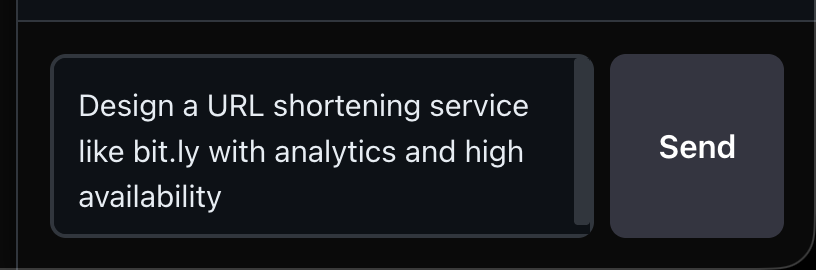
Describe your system in natural language
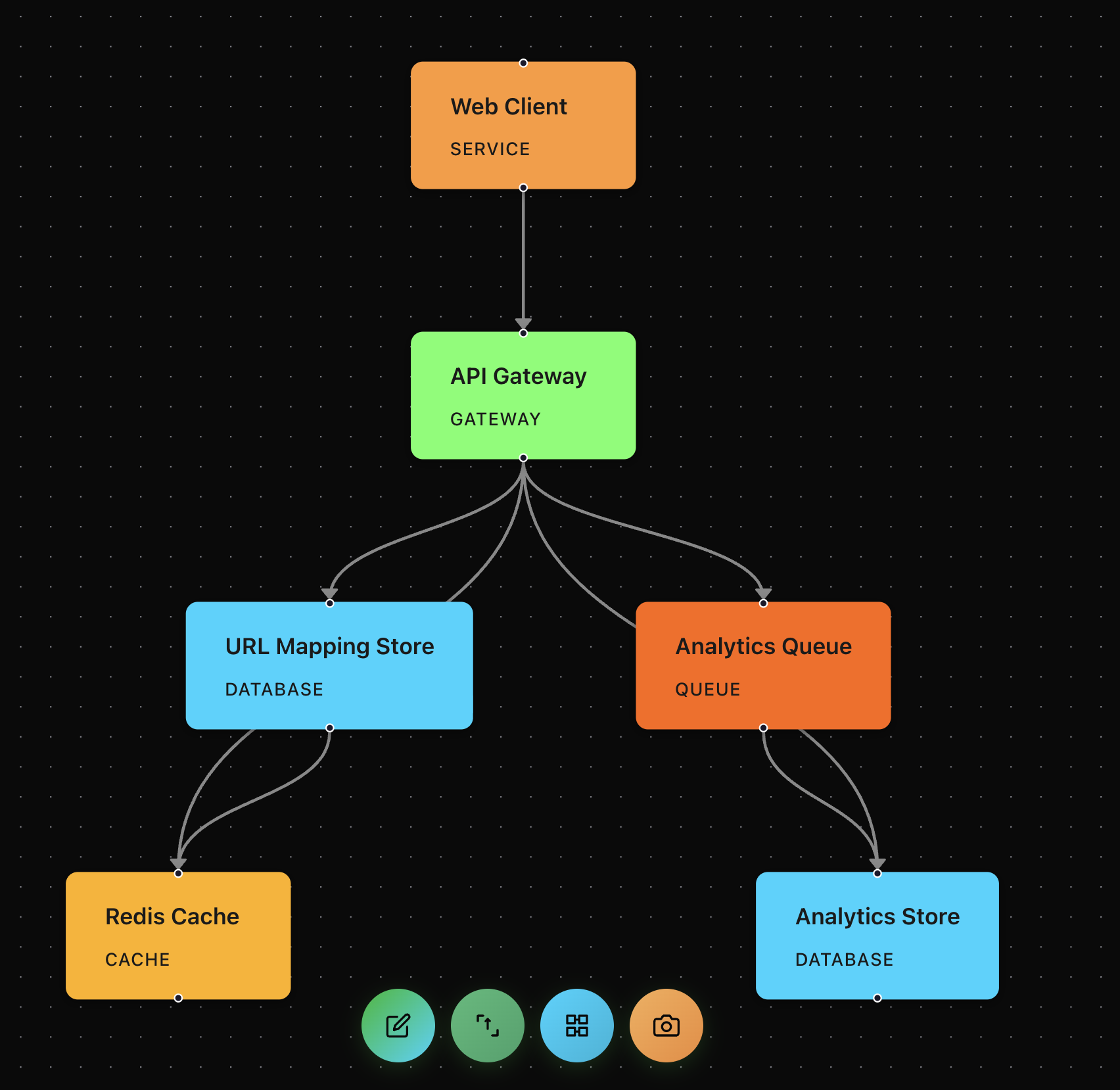
AI generates a complete architecture diagram

Refine your design through conversation
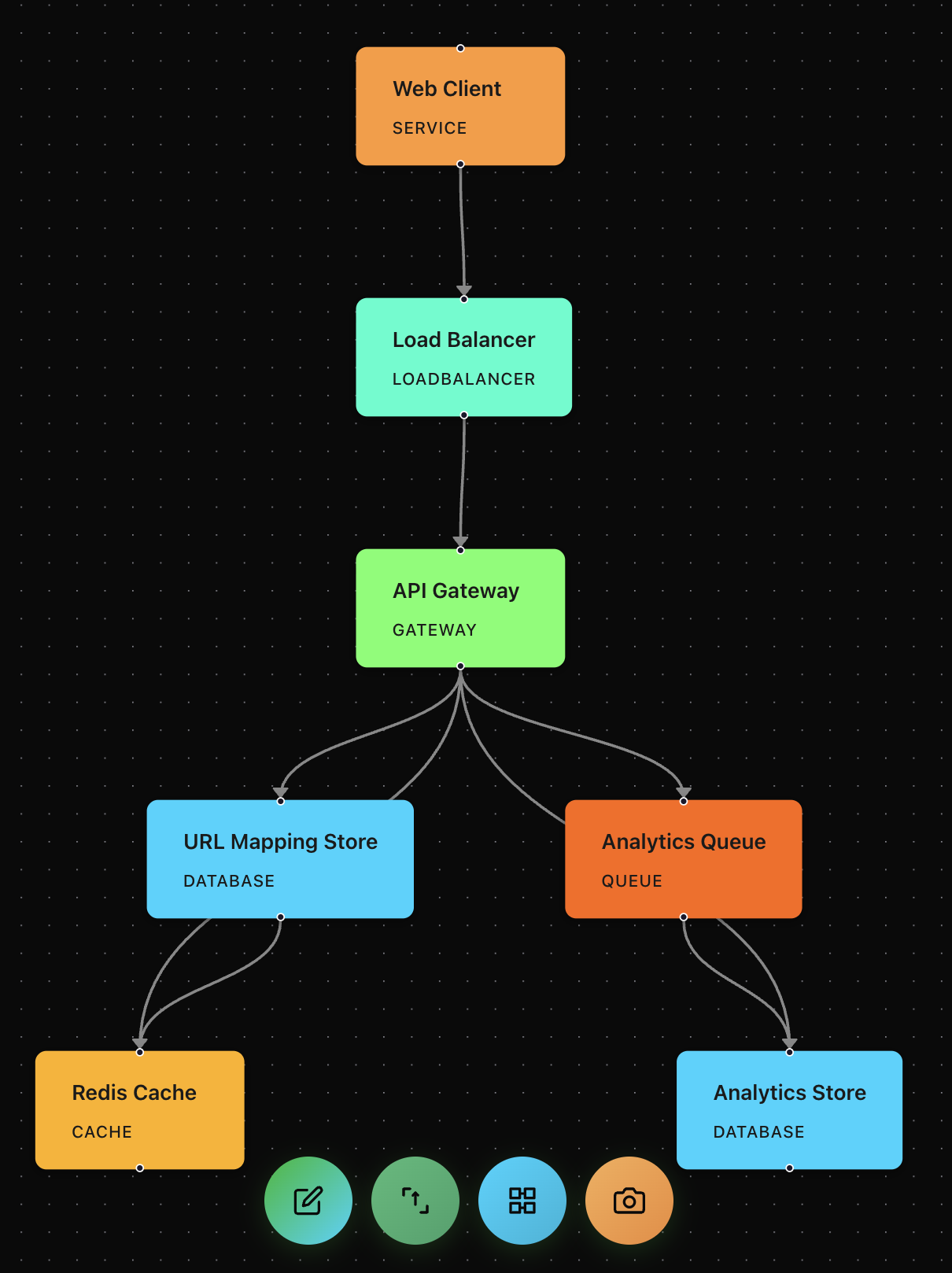
Watch your diagram update in real-time
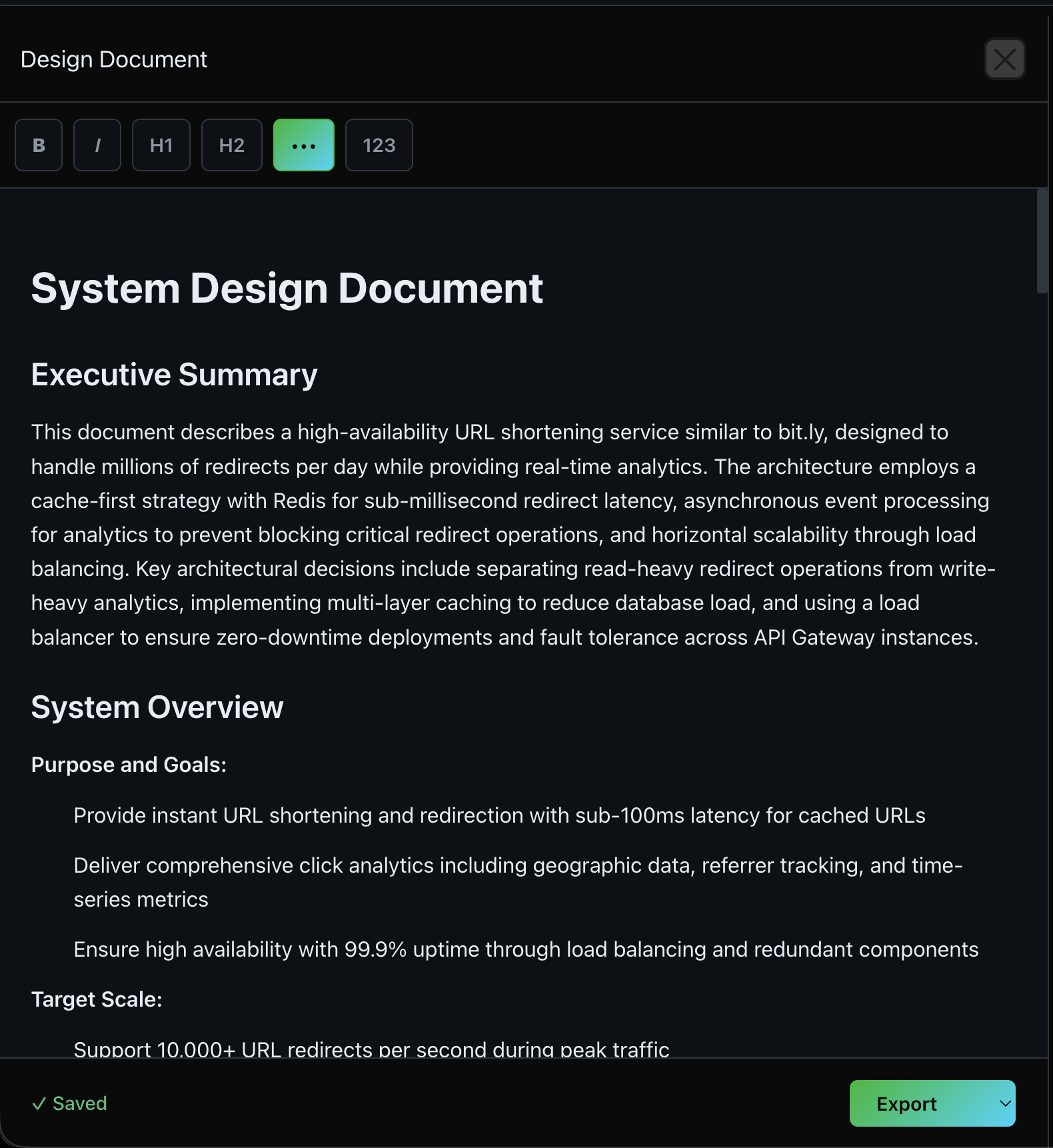
Generate comprehensive design documentation
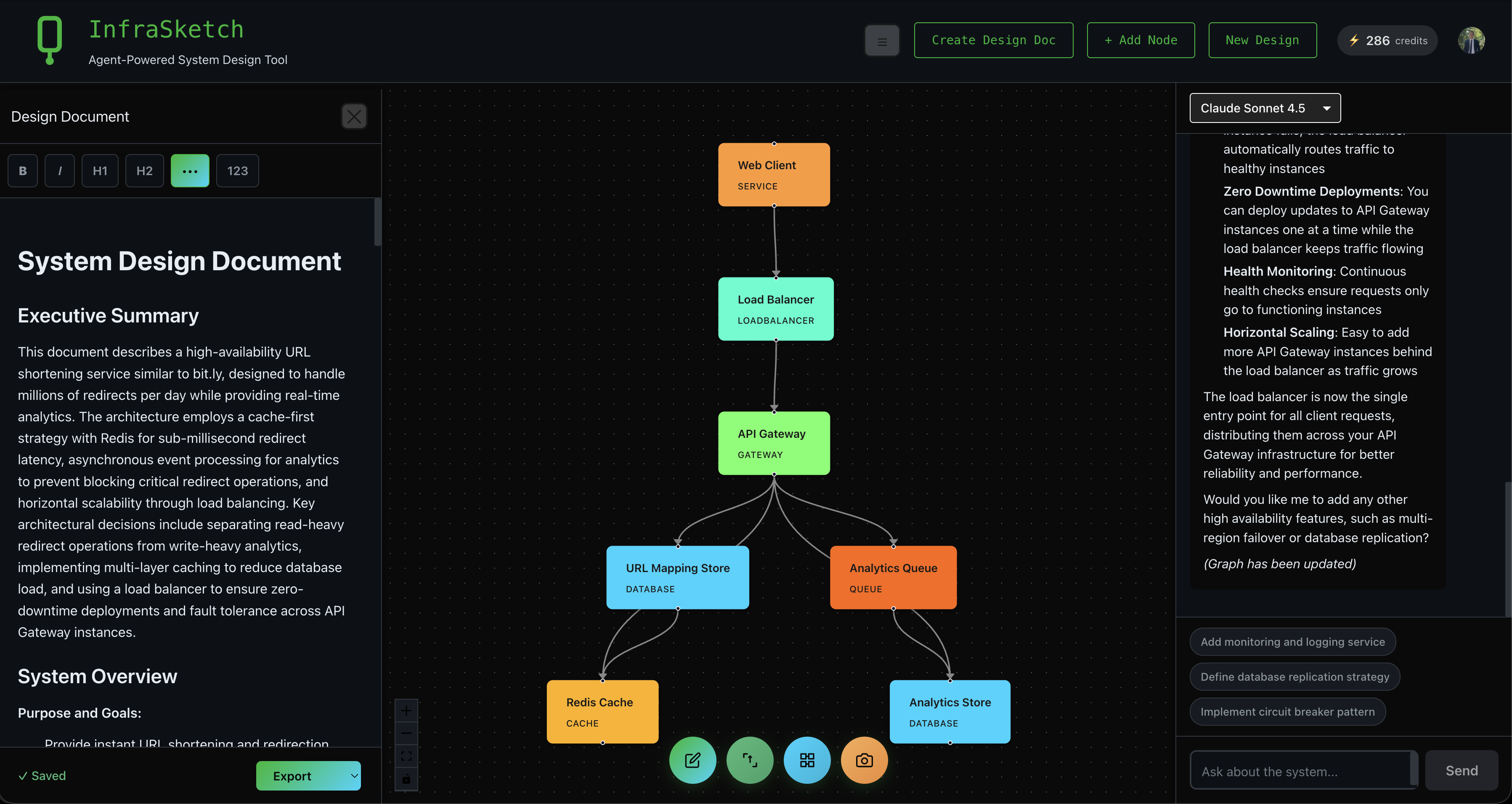
Complete workspace with all panels
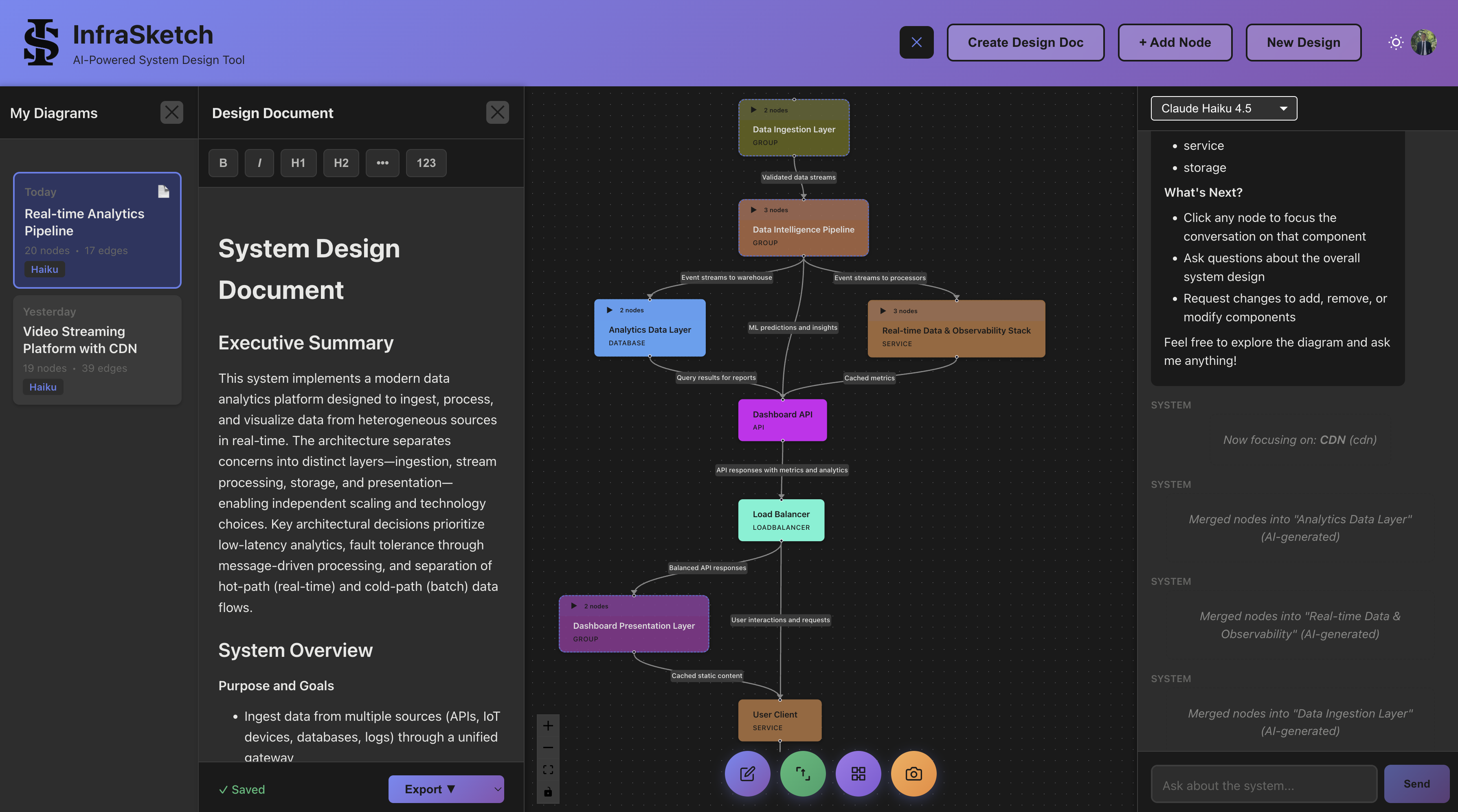
Manage multiple designs with session history
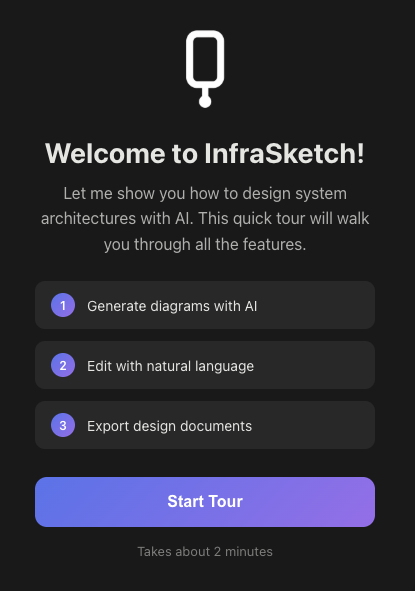
Interactive tutorial guides you through the basics
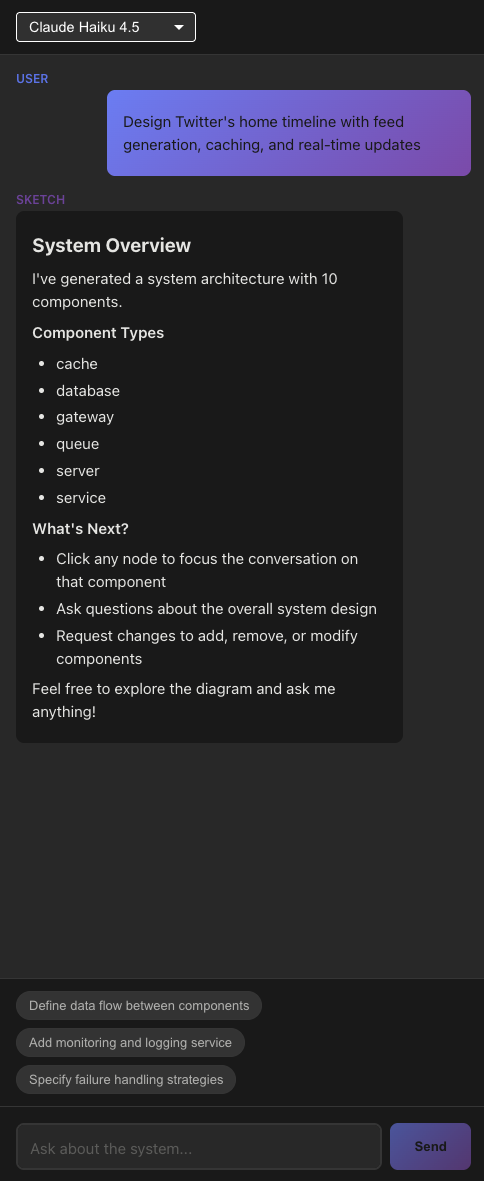
Smart suggestions help you iterate on your design
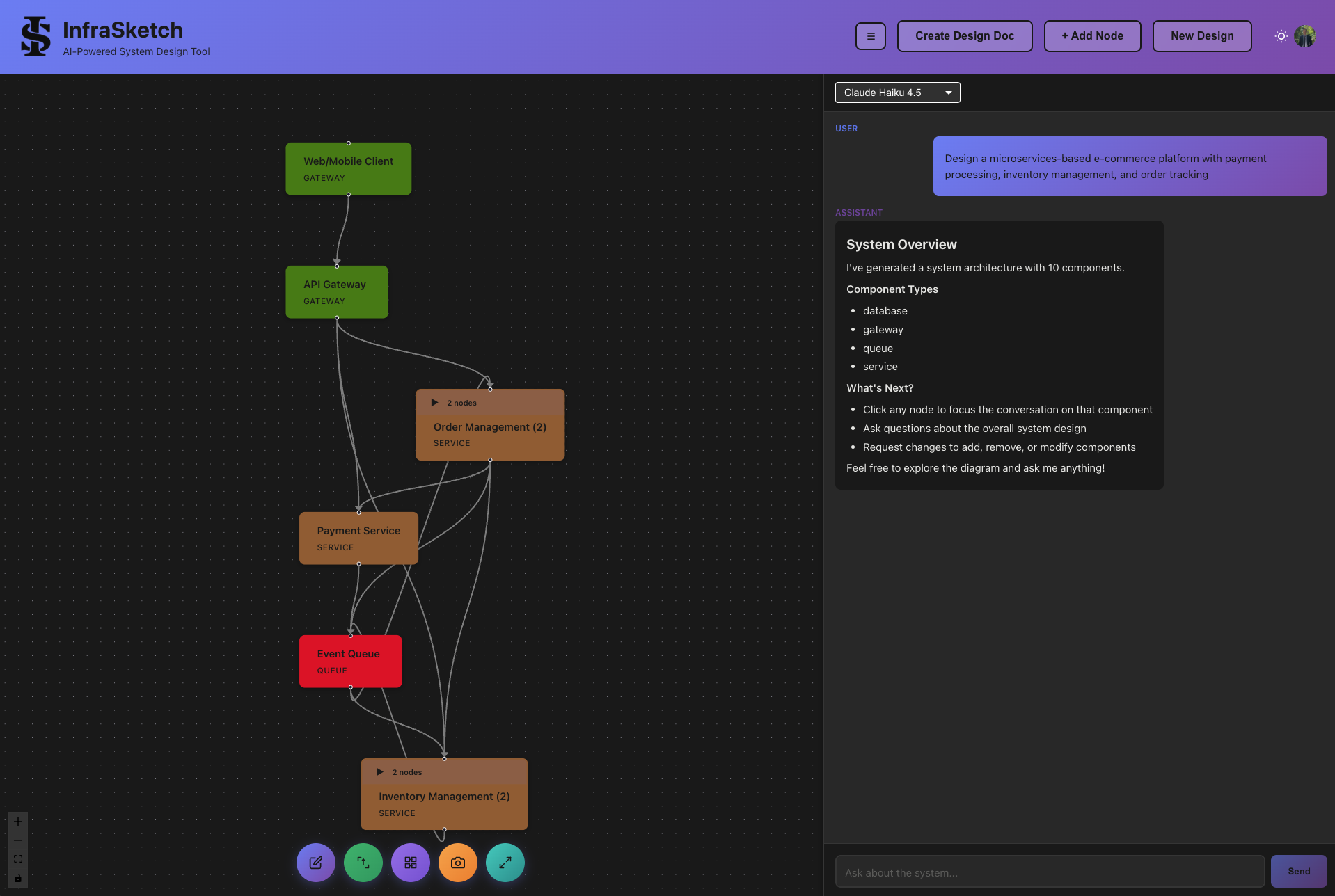
Organize components into collapsible groups
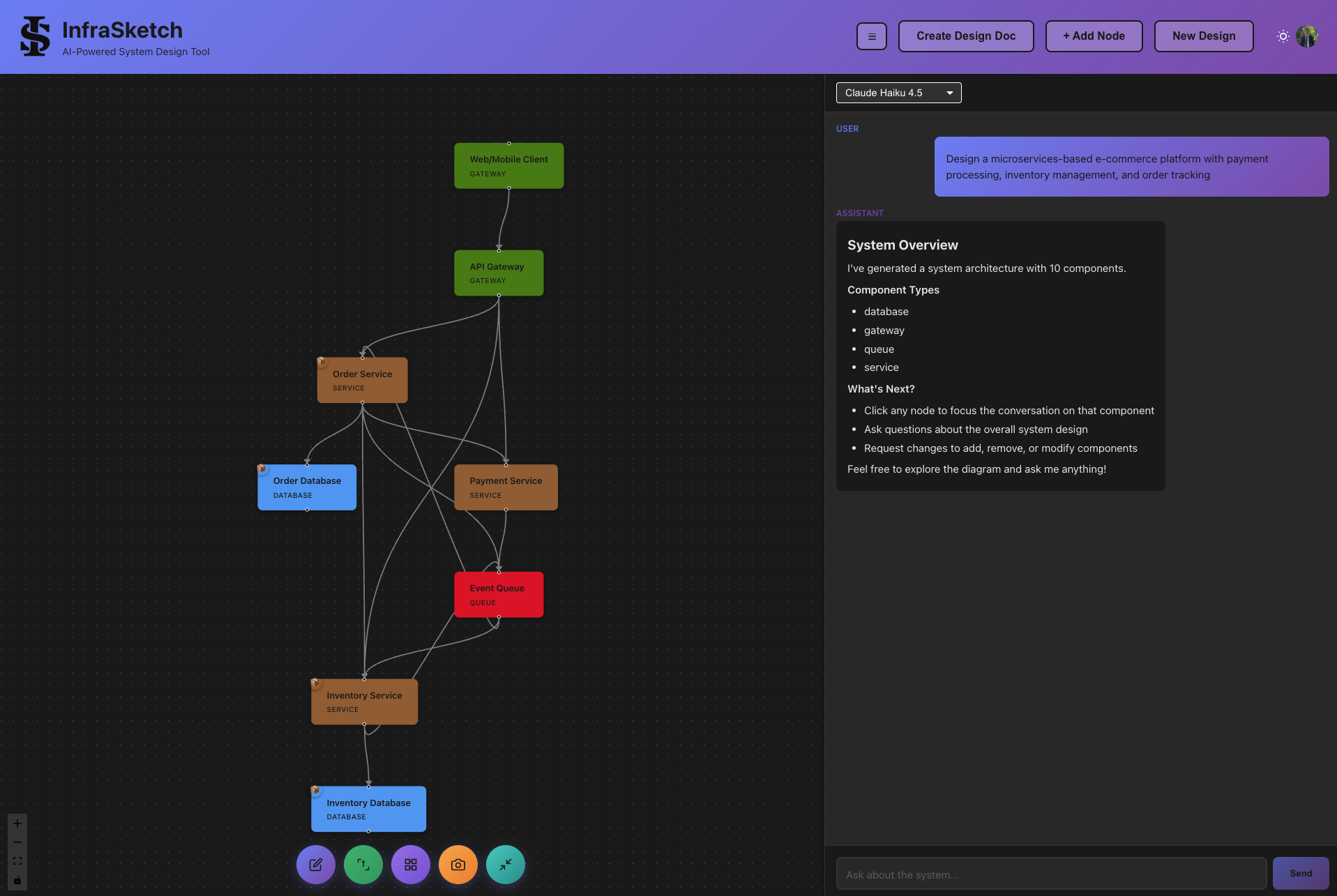
Expand groups to see all components
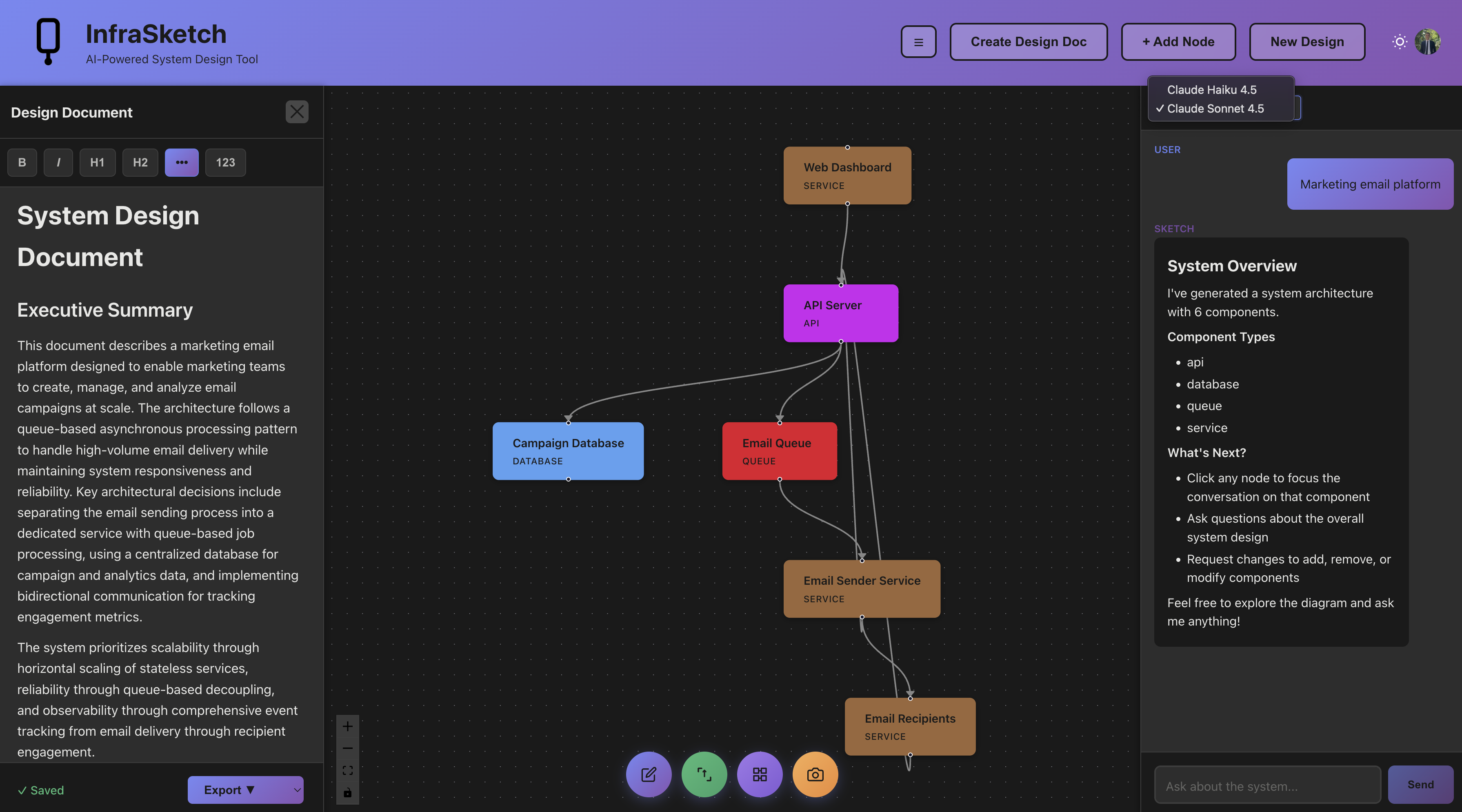
Choose between Speed and Power models
But here's what you actually take home.
The diagram gets you to a clear architecture in minutes. The design doc gets you to shipped code.
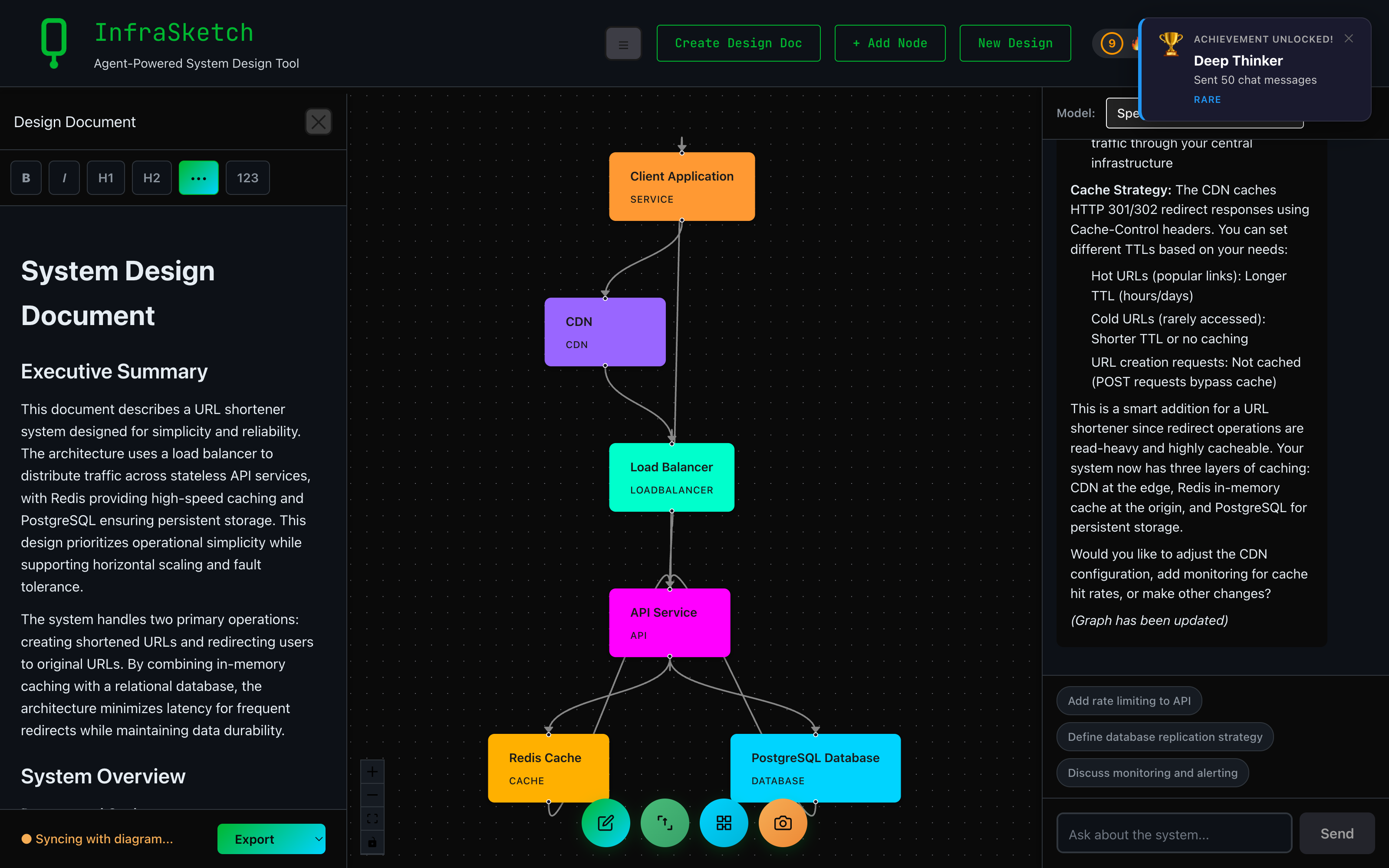
↑ Bottom-left of the doc panel: "Syncing with diagram..." right after a CDN was added in chat.
A real design doc
Component details, data flows, trade-offs, scalability and security sections. Structured markdown, not a screenshot. Edit it inline, export to PDF or Markdown.
Built for AI agents
Hand it to Claude Code, Cursor, or ChatGPT and let them implement it. The doc speaks their language: clear sections, named components, explicit data flows.
Auto-syncs with your diagram
Add a cache, swap a database, change a connection — the relevant sections of the doc update themselves. No stale specs. Your agent always has fresh context.
Diagrams for humans. Design docs for LLMs. Both, kept in sync.
How It Works
Describe Your System
Type a description of your system, like "Design a URL shortener with analytics and high availability." That's it.
Generate & Iterate
Your diagram appears in seconds with all components connected. Then chat to tweak it, one message at a time.
Hand It To Your AI Agent
Export the design doc and hand it to Claude Code, Cursor, or ChatGPT to start building. Keep iterating on the diagram — the doc auto-syncs, so your agent always has the latest spec.
Transparent Pricing
10 free credits every month. Here's what they cost.
Featured On

Popular Guides & Tools
All Tools
Browse every InfraSketch tool: system design, AI diagrams, design docs, ML, and LLM architectures.
System Design Tool
Sketch full architectures in plain English. Great for interviews, prototypes, and documentation.
Architecture Diagram Tool
AWS, GCP, Azure, and microservices diagrams generated from a sentence.
Complete Guide to System Design
Scalability, caching, databases, and architecture patterns explained end to end.
Best AI Diagram Tools 2026
How InfraSketch stacks up against Eraser, ChatGPT+Mermaid, Whimsical, and Miro.
MLOps System Design
Reference architecture for ML platforms: training, serving, monitoring, and CI/CD.